Intelligent UI changes the shape of answers, not the rules of good prompting. Say what you are deciding or learning, and ask for the format that helps — a comparison, a diagram or a calculator — when you want one.
What OpenAI actually launched
On 7 October 2026 OpenAI introduced GPT-6 together with a feature it calls Intelligent UI. ChatGPT can now combine text, visuals and interactive elements in one reply: side-by-side comparisons, diagrams, and small tools that work inside the conversation, such as calculators, bill splitters and even games.
It chooses the format automatically and still falls back to a plain text answer when that is clearer. If you prefer fewer visuals, you can dial them back, much like other personality settings.
Which model you get on each plan
- Plus, Pro, Business and Enterprise: GPT-6 Sol, rolling out globally from 7 October in the Chat tab.
- Free and Go: GPT-6 Luna, rolling out from the following day.
- The Pro reasoning option keeps using GPT-6 Astra, which does not support Intelligent UI.
- Enterprise availability depends on workspace admin settings, and the models powering ChatGPT Work and Codex did not change with this release.
Answers that start before the thinking ends
A quieter change matters just as much: GPT-6 can begin answering while it keeps thinking or using tools, then add more findings without another prompt. You can start reading the useful part immediately instead of waiting for a long reasoning pass.
For research-style questions, that means you should read the first section, then scroll back as new findings arrive rather than firing off a follow-up straight away.
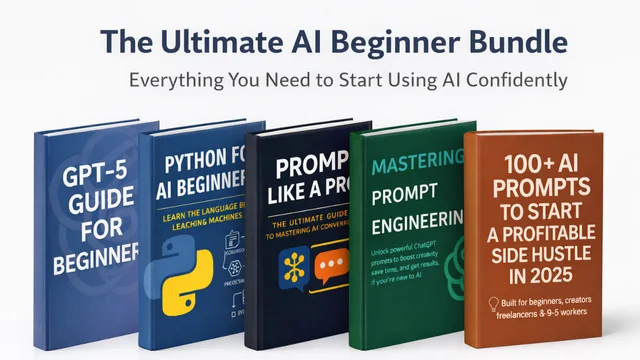
AI Beginner Bundle
Five beginner guides that take you from AI-curious to AI-confident.
$0+ · Look insideHow to prompt for the visual you want
Intelligent UI picks a format for you, but you will get better results by naming the decision you are making. “Compare these three laptops for video editing under $1,200 and show the trade-offs side by side” gives the model a reason to build a comparison. “Explain compound interest” may stay as text, while “let me play with the numbers for compound interest” invites a calculator.
I am deciding between [option A], [option B] and [option C] for [goal]. My constraints are [budget/time/skill]. Show the trade-offs side by side, recommend one, and add a small calculator if numbers would help me decide.
What to double-check
Interactive visuals look authoritative, which makes mistakes easier to miss. Check the inputs a calculator assumes, the units on a chart and any figure that matters to a real decision. Ask ChatGPT to list its assumptions under the visual — it takes one sentence and catches most errors.
Add “List the assumptions behind any numbers or charts” to your custom instructions so you never have to remember it.
The bigger picture
GPT-6 lands in a busy month: OpenAI also added audio uploads (6 October) and new GPT-Live-1.1 voices (15 October), while Anthropic and Google shipped new models too. The skill that keeps paying off across all of them is the same: clear goals, real context and a requested format. If you are just starting, the free AI Beginner Bundle walks through exactly that.
Quick answers
Is GPT-6 free?
Yes, in a sense: Free and Go users get GPT-6 Luna, while paid plans get GPT-6 Sol. Intelligent UI is available from Instant through Extra High reasoning.
Can I turn the visuals off?
You can reduce how often ChatGPT uses visuals in responses, similar to other personality settings.
Put it into practice
Open the free Prompt Builder: build a complete prompt with the 6-part framework. This article is part of The Complete ChatGPT Guide (2026 Edition).
Sources & further reading
- ChatGPT release notes (OpenAI Help Center)
- TechCrunch: ChatGPT is getting a lot more visual (7 Oct 2026)
Product facts were checked against official sources on 16 October 2026. AI tools change quickly, so check the provider’s current documentation for anything you rely on. Our editorial policy.