Claude is many people’s favorite assistant for careful writing, long documents and coding. In the fall of 2026, Anthropic released three new models in three weeks and made documents, slides and designs available inside any conversation.
This guide shows you how to get the most from Claude without wasting your usage.
Choose the right model
Use the smallest model that does the job well.
- Haiku 5.5 for quick, high-volume tasks
- Sonnet 5.5 for everyday work
- Opus 5.5 for hard problems
 Claude Opus, Sonnet and Haiku 5.5: Which Claude Model Should You Use?
 Claude vs ChatGPT vs Gemini: Which AI to Use, and for What, in 2026
Your first week
A day-by-day plan to go from first chat to a working routine.
- Projects on day three
- Documents and Artifacts by day five
- A personal workflow by day seven
 Learn Claude in 7 Days: A Day-by-Day Beginner Plan
Write in your own voice
Claude follows tone instructions closely when you give it real samples.
- Build a voice guide from your writing
- Save it in a Project
- Edit out the AI tells
 How to Make AI Write in Your Voice (Not Sound Like AI)
 12 AI Email Prompts for Work That Actually Sound Like You
Make usage last longer
Long chats and oversized files drain limits. Small habits fix it.
- Start fresh chats with a summary
- Keep standing context in a Project
- Batch requests
 How to Stop Wasting Claude Usage (and Get More From Every Message)
 How to Batch AI Work Instead of Prompting 20 Times
 Tokens and Context Windows, Explained Simply
Build things with Claude
From slides to code, Claude can create usable work, not just answers.
- Create docs, slides and designs in chat
- Plan before code
- Build a business assistant with a Project
 The Best Ways to Make Presentations With AI in 2026
 Cursor and AI Coding Tools for Beginners: Build Without Breaking Your Code
 Build a Custom AI Assistant for Your Business (Projects, Skills and More)
Your checklist
- Know which model to use for which task
- A Project with instructions and reference files
- A saved voice guide
- A habit of starting fresh chats with summaries
Recommended next step
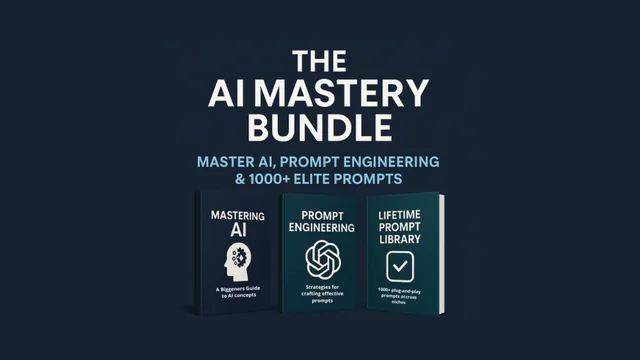
AI Mastery Bundle
The next step after the basics: frameworks, precision prompting and a 1000+ prompt library.
$50 · Look inside