
Start with a trigger, one AI step and one output. Get that working end to end before adding branches, loops or more tools.
What n8n is
n8n is a workflow automation tool you can self-host for free or use as a paid cloud service. You connect nodes — a trigger, actions and logic — on a visual canvas. AI nodes let a model summarize, classify, extract or write as one step in a larger process.
The three parts of every workflow
- Trigger: a schedule, a form submission, a new row in a sheet or a webhook.
- Steps: fetch data, call an AI model, transform text, branch on conditions.
- Output: send an email, update a sheet, post to Slack, create a task.
Your first workflow: feedback summarizer
- Trigger: new row in a Google Sheet of customer comments.
- AI step: “Classify this comment as praise, complaint or question; extract the product mentioned; write a one-line summary.”
- Branch: if complaint, send yourself an alert.
- Output: write the classification back to the sheet.
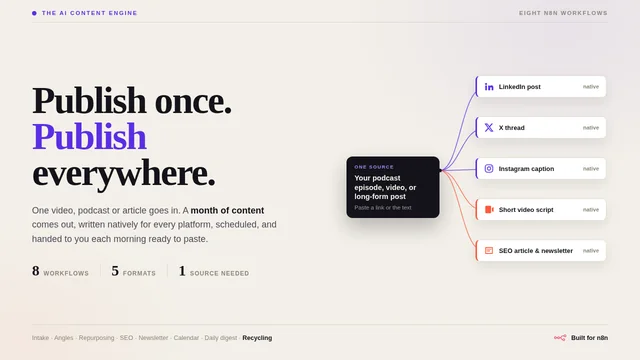
The AI Content Engine
One video, podcast or article in. A month of platform-native content out.
From $89 · Look insideWrite AI steps like contracts
Structured output makes the next node reliable. Free-form text is hard for a workflow to act on.
You classify customer comments. Return JSON only: {"type": "praise" | "complaint" | "question", "product": string | null, "summary": string (max 20 words)}. Comment: {{ $json.comment }}Beginner mistakes to avoid
- Building ten nodes before testing one.
- No error handling — add a branch for failed AI calls.
- Letting automations post publicly without review.
- Sending entire documents to the model when a field would do.
Want a production-ready example? The AI Content Engine is eight documented n8n workflows that turn one source into a month of content.
Put it into practice
Open the free Automation Time & ROI Calculator: see what automating a task is really worth. This article is part of The AI Agents & Automation Handbook.
Sources & further reading
Product facts were checked against official sources on 16 October 2026. AI tools change quickly, so check the provider’s current documentation for anything you rely on. Our editorial policy.